 SnapDictate
How to request changes in Lovable or Replit without starting over
Work inside the existing project, identify one bounded change, and state which behavior must remain intact. Supply the current screen and exact replacement wording when relevant. Use the platform's documented planning options when the scope is uncertain, then check the result before publishing. Rebuilding the app is not the default remedy for a small correction.
Lovable and Replit share this communication need, but their planning and recovery interfaces are not interchangeable.
Treat the current app as the starting point
An existing application contains decisions that may not be obvious from one screenshot: required fields, validation rules, data destinations, and successful or failed submission behavior.
A request such as “make the contact form better” can leave all those decisions open. A request to replace one confirmation message should not.
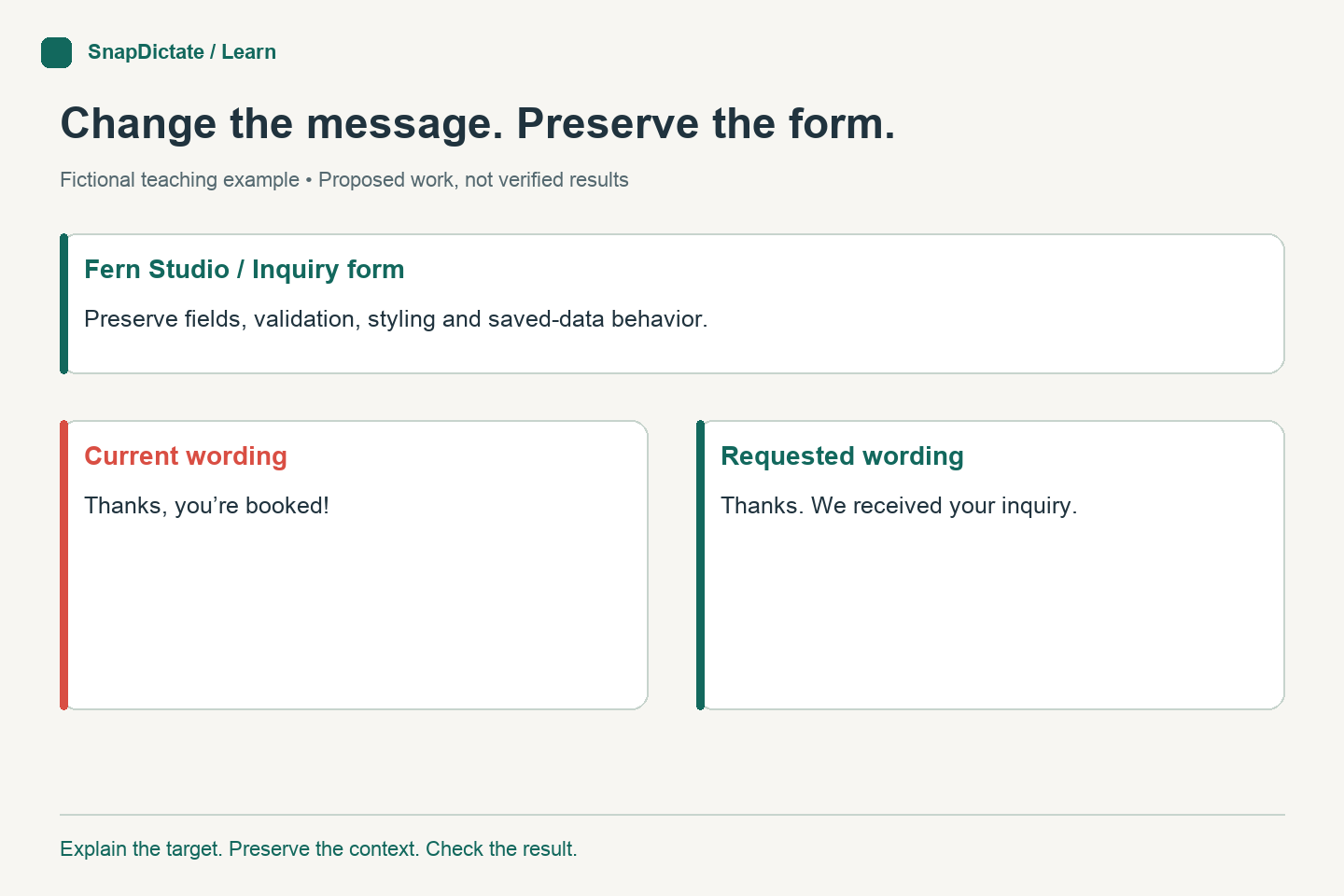
Consider Fern Studio, a fictional workshop website. Its inquiry form shows “Thanks, you're booked!” after an inquiry is submitted. The business wants “Thanks. We received your inquiry.” because submitting the form does not reserve a workshop place.
The task is a wording correction. The fields, validation, styling, and saved-data behavior should remain unchanged. The article's example does not establish how any real site's form is implemented.
Capture the before state and the intended boundary
Before prompting, record the current message and the state that triggers it. Distinguish the message after a successful submission from a loading label, validation message, or failure notice.
A useful reference says: “Inquiry form, after an accepted test submission, confirmation panel.” A screenshot of the empty form does not identify the success message.
Keep an approved test route available. Do not use real customer information or submit a production inquiry repeatedly just to inspect the wording. The appropriate test method depends on the project and the permissions you have.
The annotation guide can help you identify the confirmation panel without obscuring its text.
Copy the existing-app change request
Use this existing project. Do not create a new project or regenerate
the page.

Location
Inquiry form, successful-submission confirmation panel.
Reference: [actual screenshot and preview/version].

Current text
“Thanks, you're booked!”

Replacement text
“Thanks. We received your inquiry.”

Scope
Change this successful-submission message only. A submitted inquiry is
not a confirmed booking. Do not change the application's booking rules.

Preserve
Form fields, required-field checks, validation messages, visual styles,
data destination, and saved-data behavior. Keep the existing failure
and loading states unless this text is incorrectly shared with them;
flag that dependency before expanding scope.

Check
Inspect the actual success state using the approved test workflow.
Confirm the exact replacement text. Check that invalid input still
receives the existing validation and that a failed submission does not
show the success message. Confirm relevant saved-data behavior remains
unchanged using authorized test data.

Report
State what changed, which checks ran, and what remains unverified.
Do not publish as part of this request.
This request says what to change without pretending that a screenshot reveals the code or database. For the broader pattern, see the change-request template.
In Lovable, distinguish discussion, planning, and building
Lovable's current documentation distinguishes Chat mode for discussion, Plan mode for an inspectable plan, and Build mode for implementation. Plan mode does not modify code; approving a plan starts building. Read Lovable's Plan mode documentation.
For Fern Studio, a simple text replacement may not need a long plan. Use planning when the agent discovers that the same message is shared across several outcomes or that the request would affect more than the confirmation panel.
A useful planning question is: “Locate this success message and identify any other states that use it. Propose the smallest change that preserves form behavior.” Review the answer before authorizing a broader edit.
Lovable also advises working by component rather than repeatedly rebuilding a whole page. See its prompting guidance. In this example, the confirmation panel is the relevant boundary, not the entire website.
Do not treat a plan's confident wording as evidence that the implementation has been tested. Review the actual result afterward.
In Replit, separate planning from changes to the project
Replit documents a Plan mode for discussion and structured planning without modifying project code or data. Building is a separate mode. Read Replit's Plan mode guidance.
Use that distinction when you need the agent to inspect the form's existing behavior before editing. Ask it to identify the success state, the approved replacement, and the preservation checks. Avoid a broad request to improve the form while it is still identifying the relevant code.
Replit's prompting guidance recommends supplying relevant files, concrete examples, and specific error details. See its effective-prompting guide. Provide the relevant screen or known file rather than assuming the agent remembers every earlier conversation.
Check the current controls and availability in your own workspace. This guide is not a promise that every account, project generation, or provider plan exposes identical options.
Know what a recovery action would restore
A version history is useful context, but it is not a reason to roll back the whole app for one wrong message. Inspect the differences first, including unrelated work you want to keep.
Replit's rollback documentation distinguishes project restoration from optional development-database restoration; production-database restoration is separate. Read the checkpoint and rollback details. Do not assume a code rollback safely restores every data state.
For either platform, identify the specific version and the effect of the proposed recovery before approving it. Availability and controls must be checked in the current product. The targeted recovery workflow explains how to preserve valid changes while repairing a regression.
Compare before and after with a small checklist
The before state should be recorded evidence, not a reconstruction invented after the edit. The following checklist is for the fictional Fern Studio change.
| Area | Before reference | After check |
|---|---|---|
| Success message | Recorded confirmation text | Exact approved replacement appears |
| Form fields | Existing names, types, and requirements | No fields added, removed, or redefined |
| Validation | Approved invalid-input behavior | Same validation still appears |
| Failure state | Existing failed-submission behavior | Failure does not display the success message |
| Styling | Existing confirmation and form appearance | No unrelated visual redesign |
| Saved data | Approved test-data workflow | The expected test record is still handled correctly |
A check that cannot be performed should remain open. “The message changed in code” is not the same result as “the rendered success state was inspected.” The source of evidence and the environment should be clear in the completion report.
Keep publication separate from acceptance
After the change passes the agreed checks, decide whether it is ready for the project's normal release process. Do not let an instruction to edit confirmation text become implicit approval to publish, send live messages, or modify customer records.
When another person handles release, give them the verified version, the checks performed, and the remaining limits. They should not need to guess which preview contains the approved result.
SnapDictate can keep the marked confirmation screen and the exact spoken or typed correction together. It does not modify the Lovable or Replit project or verify the form. Use a supported handoff path and sign in for current connection instructions. See how a review is prepared.
Existing-project questions
Should I start a new project when an edit goes wrong?
Not as the default response. First identify the unintended change, preserve valid work, and inspect available recovery options. Starting over can discard decisions and behavior unrelated to the problem.
Can I use the same wording in Lovable and Replit?
The core request can be the same. Adjust platform-specific actions to the documented controls you actually have. Do not copy instructions for one platform's planning or history interface into the other as though they were identical.
What if a copy change reveals a deeper form bug?
Record the bug and its evidence separately. Decide whether it blocks the approved wording change or needs its own task. Do not silently expand a small copy correction into a form rebuild.
Sources
Published by SnapDictate / RepX Inc., the maker of the product mentioned here. About and corrections.