 SnapDictate
How to write a bug report your AI coding agent can reproduce
Give the agent a starting state, numbered steps, the expected result, and the actual result. Add the relevant environment and a screenshot or recording that supports the report. Separate what you observed from your guess about the cause. Ask the agent to reproduce the failure before treating a proposed fix as the answer.
A useful bug report makes a failure repeatable or explains honestly why repeatability is still unknown.
Describe the failure without diagnosing it prematurely
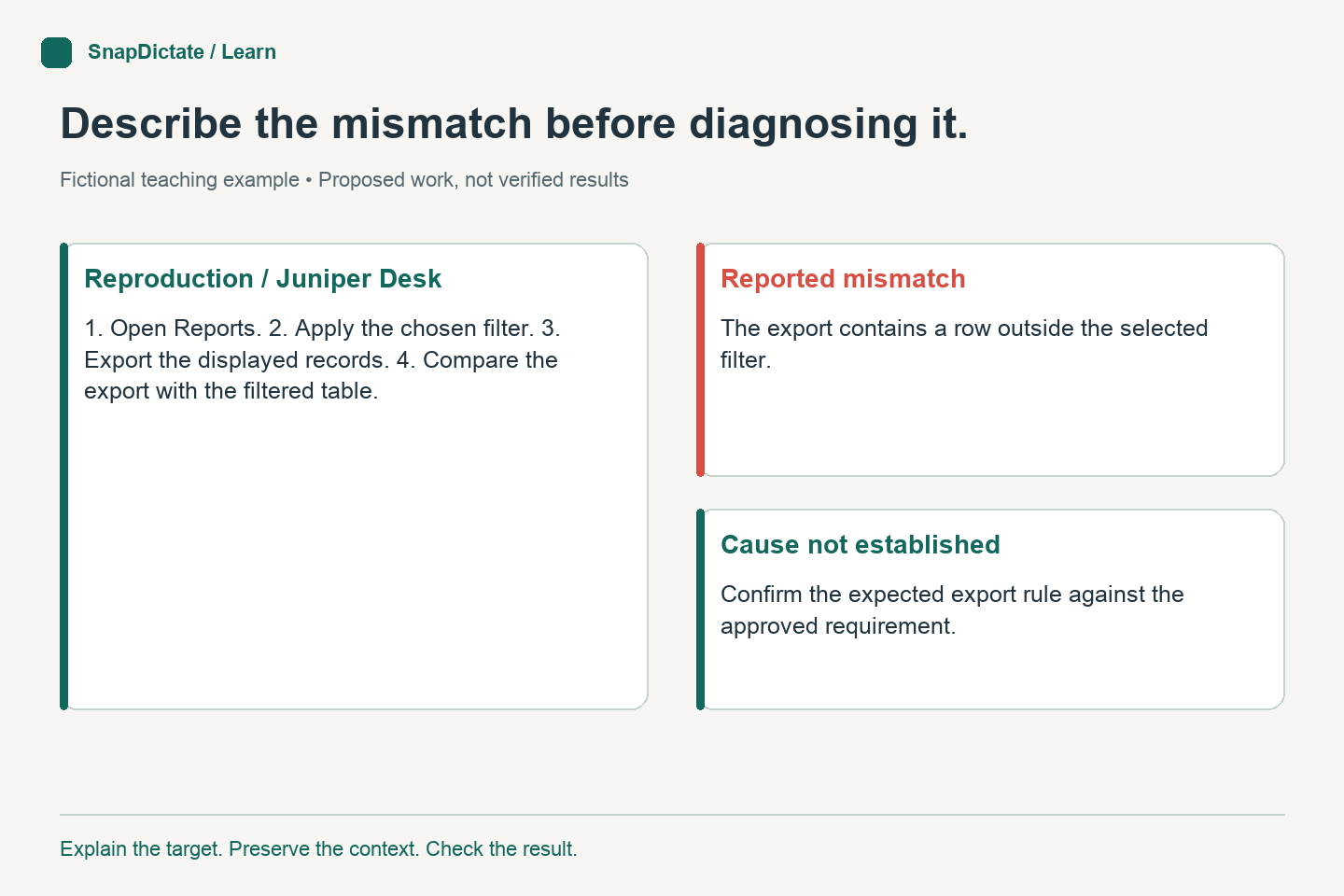
In the fictional Juniper Desk app, a user selects a date range in Reports, chooses Export, and receives a file containing records outside that range.
A vague report is:
The export is broken. Fix the database query.
The first sentence does not say what is wrong. The second assumes a cause. The problem might involve a query, but it could also involve a stale selection, an export handler, or another part of the application. The screenshot alone cannot decide that.
A clearer report is:
In Reports, the table shows the selected date range, but the exported file includes older records. Expected: the export contains the same date range as the filtered table. The cause is not established.
Now the agent has a discrepancy to investigate instead of a diagnosis to obey.
Bugzilla's reporting guidance emphasizes reproducibility, specificity, and environment details. See its bug-filing documentation. Those principles are useful whether the recipient is a human developer or an AI agent.
Record the starting state
Steps are only reproducible when the recipient can establish the same conditions. Name the page, user role, selected filters, and relevant test data. Include the application version or preview reference when available.
For Juniper Desk, the useful state is not merely “logged in.” It is “signed in to the test workspace with permission to view Reports, using the supplied fictional records.” Avoid including real account credentials in the report.
When you cannot identify a version, say so. When browser details might matter, record what you actually used. Do not insert the latest browser version from a search and imply that you tested with it.
Write the shortest sequence that still shows the failure
For the fictional export case, the reproduction might be:
1. Open Reports in the test workspace.
2. Choose the supplied example date range.
3. Apply the filter and confirm the table excludes older records.
4. Select Export.
5. Open the downloaded file and inspect its date column.

Expected: every exported row falls within the selected date range.
Actual in the reported example: the file includes older records that
the filtered table does not show.
Use real dates and filenames in an actual report. The sequence above intentionally leaves them to the test fixture rather than pretending that a live export was performed for this article.
Remove navigation that does not affect reproduction, but keep relevant state transitions. If the bug occurs only after changing the filter twice, that detail is not clutter. It is part of the evidence.
Attach evidence for the claim you are making
A screenshot of the filtered table can show the visible date range and rows. It cannot prove the contents of the downloaded file. Include a sanitized excerpt or supported file that demonstrates the mismatch, with the relevant columns identified.
If you provide two images, explain their relationship: “Image A shows the filtered table; image B shows the exported rows from that same attempt.” Avoid implying they belong to one attempt unless they actually do.
For timing-dependent behavior, a short recording may preserve an important sequence. Use the format decision guide to choose the evidence, and the annotation guide to identify the relevant rows or control.
Do not upload a complete customer export when a clean test fixture or small approved excerpt establishes the problem.
Copy this reproducible bug report
Title
[Action + specific failure, not a guessed cause]

Environment
Project/route:
Preview or version:
Browser/device, when relevant:
User role and test-data setup:

Starting state
[Filters, selected tab, open dialog, prior action, or other conditions]

Steps
1.
2.
3.

Expected result
[Observable behavior and the source of that expectation]

Actual result
[What happened, including exact error text if available]

Evidence
[Actual filenames or accessible references and what each establishes]

Repeatability
[Observed attempts/results, or “not yet established”]

Already tried
[Actual attempts and their results; do not invent troubleshooting]

Preserve
[Working behavior, data, and unrelated changes to keep]

Investigation request
Try to reproduce this using approved test data. Separate observations
from possible causes. If reproduction is blocked, report the missing
condition. Do not label a code change Verified until the relevant
failure and preservation checks have been performed.
Replit's debugging guidance similarly asks for exact errors, relevant context, and attempted steps. See its effective-prompting guide. The template above is a platform-neutral method, not a claim about Replit's own report format.
Explain where the expected behavior comes from
A bug report is stronger when the expected result has a source: an approved requirement, documented behavior, or a previously verified state. “I expected this” can also be useful, but it may describe a product decision rather than an implementation defect.
For Juniper Desk, establish whether Export is intended to export filtered rows or the entire report. If the product deliberately exports all records, the mismatch may require a label or feature decision instead of a query repair.
Do not force the agent to resolve an undefined product requirement by pretending it is a known bug. Ask for clarification when the answer changes the desired behavior.
The change-request template helps turn that decision into a bounded implementation request.
Handle intermittent failures honestly
When a failure does not happen every time, record the actual attempts and circumstances. Do not translate “I saw it once” into “always.” Note differences you observed, such as an earlier filter change or a particular data set, without declaring them the cause.
Ask the agent to gather enough evidence to distinguish plausible explanations. Avoid repeated production actions that could send messages, charge money, or alter records merely to increase the attempt count.
If the problem cannot be reproduced, keep it Unreproduced or Blocked. A speculative patch can still be proposed, but it should not be described as a verified repair.
Retest the same case after the change
For the export issue, repeat the original filter-and-export sequence with the same approved fixture. Compare the resulting file with the expected date range. Then check the relevant preserved behavior, such as exporting a different valid range or using the unfiltered report if that is supported.
Name the environment and version used for the check. If the original report concerned production but the repair was checked only in a preview, state that boundary. Use the verification guide to record the evidence.
SnapDictate can preserve the narrated steps and marked screen states that explain the failure. It does not reproduce the bug, inspect the application's source code, or prove that a fix works. See how review context is handed off.
Bug-report questions
Should I include my theory about the cause?
Yes, when useful, but label it as a hypothesis. Keep the observed failure and evidence independent so the agent can investigate a different cause.
What if there is no error message?
Describe the incorrect result. A wrong destination, missing row, or unchanged state can be the failure even when no error appears. Do not invent an error string to make the report look complete.
Must I reproduce the bug before reporting it?
No. Report what you observed and what you have not established. The agent can help investigate, but the report should not claim repeatability that has not been tested.
Sources
Published by SnapDictate / RepX Inc., the maker of the product mentioned here. About and corrections.