 SnapDictate
How to correct conflicting instructions before an AI edits
Identify the conflicting instructions, state which approved requirement replaces which earlier one, and update the current task record. Keep the correction narrow: replacing a button label does not cancel every instruction from the same review. Ask the agent to restate the resolved requirement and remaining uncertainty before it edits anything affected by the conflict.
When the correct decision is unknown, record a question. Do not ask the agent to manufacture a compromise between incompatible requirements.
Find the exact disagreement
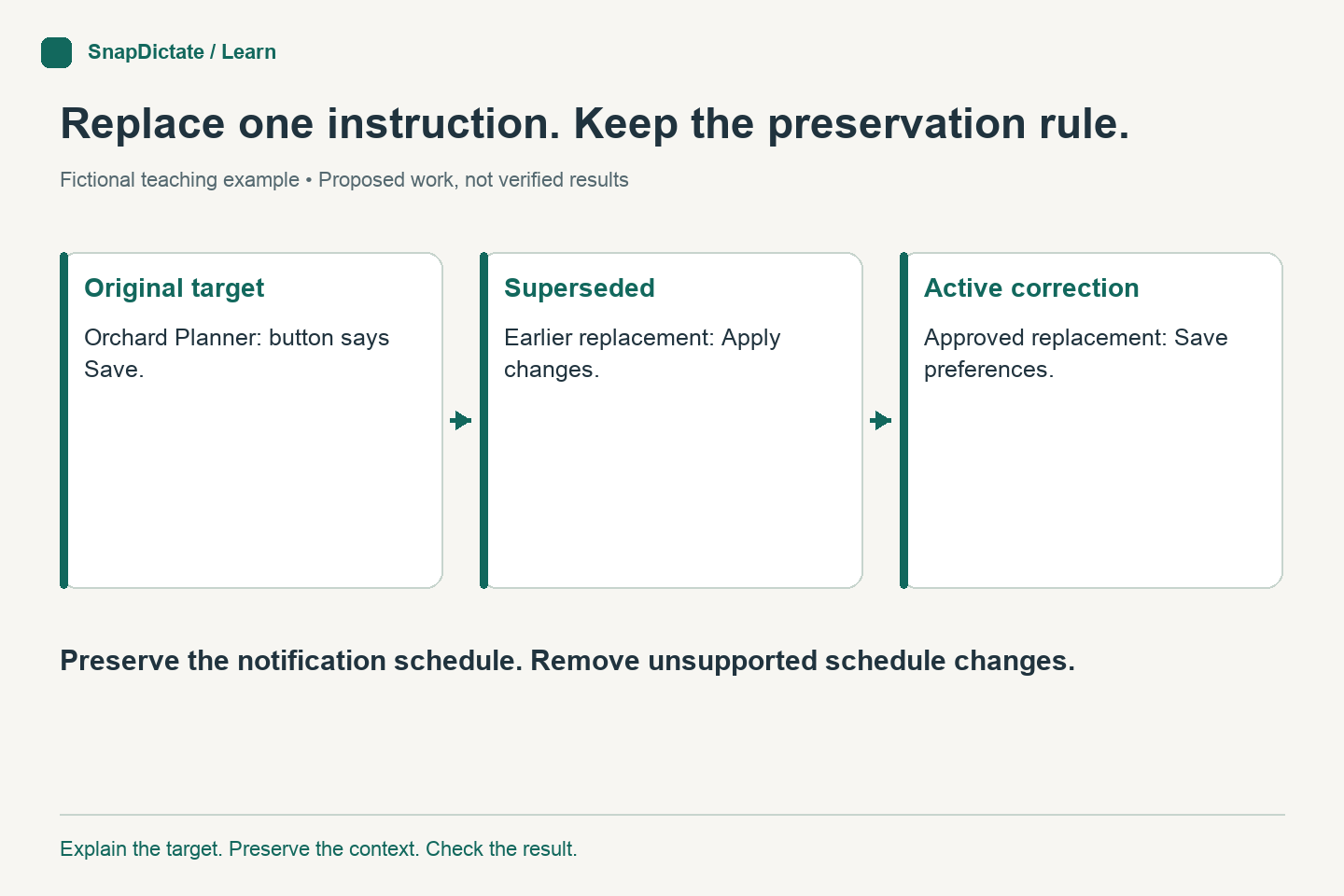
In Orchard Planner, a fictional scheduling app, the owner records a review of Notification preferences. Early in the review, the owner says to rename “Save” to “Apply changes.” Later, the owner corrects the wording to “Save preferences.” The screenshot still shows the original “Save” label.
A generated checklist contains “Rename Save to Apply changes.” It also adds “Change the notification schedule,” even though the review said to preserve that schedule.
The vague follow-up is:
Ignore that. Use the new version.
The agent cannot reliably tell whether “that” means the old label, the entire checklist, the screenshot, or every instruction in the review.
The better correction names the scope:
Replace only the earlier label instruction. The approved label is “Save preferences,” not “Apply changes.” The screenshot shows the current state, not approved replacement text. Preserve the notification schedule. Remove the schedule-change item from the proposed checklist because it was not requested.
Now the correction resolves two specific discrepancies without discarding the rest of the review.
Separate a correction from a new request
A correction fixes the record of what was intended. A new request changes the approved outcome. Both can be valid, but they should not be treated as the same event.
In Orchard Planner, correcting the label after a spoken false start resolves the wording. Adding a new notification frequency would be a separate behavior change requiring its own scope and acceptance check.
Keep a small reconciliation table:
| Source | What it says | How to treat it |
|---|---|---|
| Earlier narration | Use “Apply changes” | Superseded only for the label wording |
| Later explicit correction | Use “Save preferences” | Approved replacement for that label |
| Screenshot | Current label is “Save” | Evidence of the current interface |
| Preservation instruction | Keep the notification schedule | Still active |
| Generated checklist | Change the notification schedule | Unsupported extraction; remove from proposed work |
These are fictional source descriptions for the example. In a real review, use the actual transcript sections, filenames, or decision references so another person can inspect the conflict.
Do not assume the newest file is the authority
A new screenshot may show an old application version. A regenerated checklist may repeat a superseded instruction. A recent comment may come from someone who is not authorized to change the requirement.
Use the project's agreed decision authority and the substance of the correction, not timestamps alone. Ask who approved the change when that matters. Preserve higher-level constraints such as access limits and publication rules; a casual task note does not silently override them.
Claude Code's project-memory documentation warns that contradictory instructions can undermine consistent behavior. See its guidance on instruction consistency. The remedy in this article is a decision record and source check, not a claim that any phrase forces a model to follow the right instruction.
Copy a narrow amendment record
Amendment ID:
Affected task ID:
Decision authority: [authorized owner or approved decision reference]

Earlier instruction
[Exact relevant wording and source reference]

Replacement instruction
[The approved wording or behavior that now applies]

Scope of replacement
[Precisely which part of the earlier instruction is superseded]

Still active
[Preservation rules and other requirements that remain unchanged]

Reason
[Correction, new decision, or resolved ambiguity—state which]

Acceptance check
[Observable check for the revised outcome]

Record update
Update the existing task and mark the old requirement Superseded.
Do not create a competing master checklist. Keep the relevant source
references available for review.

Before implementation
Restate the resolved requirement. Identify any remaining conflict or
missing approval that changes the work.
For Orchard Planner, the acceptance check is not simply “the button changed.” It is “the button reads Save preferences, still performs the existing save action, and leaves the notification schedule unchanged.”
The change-request template can hold the revised task once the conflict is resolved.
Resolve text-and-image disagreements explicitly
A marked image might point to one control while the transcript names another. Do not automatically prefer either medium. Ask whether the mark is misplaced, the spoken label is wrong, or the screenshot shows a different state.
A useful clarification is: “Marker 2 points to Daily summary, but the transcript names Weekly summary. Which control should change?” That identifies the decision without asking the requester to repeat the entire review.
When the image shows the current label and the text supplies a replacement, there may be no conflict at all. Label the roles: current-state evidence and approved target wording. The annotation guide shows how to make those roles clear.
Do not alter the image to conceal the original evidence merely because the requirement changed. Keep the corrected requirement separate and identify which reference remains useful.
Fix the checklist without inventing approval
A generated checklist is an interpretation. When it disagrees with the source, update the interpretation rather than assuming that generation granted authority to add work.
For Orchard Planner, remove the unsupported schedule change from the implementation queue and note why. Replace the old label item with the approved label. Keep its source references and acceptance check current.
Do not silently mark the corrected task Done. Reconciliation establishes what should be built; it does not establish that the application now matches it. The implementation checklist guide explains the difference between Proposed, Approved, Implemented, and Verified.
If implementation already followed the superseded instruction, record that fact and request the smallest necessary correction. Avoid a blanket rollback that could remove unrelated valid work.
Handle an unresolved conflict without stopping everything
Some conflicts block one task but not the whole project. If the notification label is unsettled, the agent may still inspect an unrelated approved typo correction, provided that work is within its authorization and does not depend on the disputed decision.
Keep the blocked item visible. State the exact question, the evidence, and who needs to resolve it. Do not use a vague “awaiting clarification” label when a one-sentence choice would make the blocker understandable.
When several decisions remain open, resolve those that change data handling, user access, or irreversible actions before implementation. A reversible visual preference may need a different review process, but it still needs a stated decision before it can be called approved.
Carry the corrected record into the next conversation
Point the next agent to the updated task record and the amendment, not just the original transcript. Ask it to identify the active requirement before continuing. The handoff document guide shows how to preserve that decision without duplicating the entire history.
SnapDictate keeps review text and screenshots together, which provides sources for resolving a spoken correction or extraction error. Its proposed checklist does not overrule those sources or the authorized decision-maker. The receiving agent still needs to reconcile conflicts before implementation. See the review handoff.
Conflicting-feedback questions
Does the last instruction always win?
No. A later statement may be ambiguous, unauthorized, or unrelated to the earlier requirement. Identify the approved decision and its exact scope. Do not use recency to override access restrictions or other governing constraints.
Should I delete the wrong instruction?
Update the active requirement so it is unambiguous, while keeping appropriate history or source references. Mark the old requirement Superseded rather than leaving two apparently active versions.
What if I genuinely changed my mind?
Say that it is a new decision, identify what it replaces, and check the impact on work already implemented. A clear revision is easier to apply than pretending the earlier request never existed.
Sources
Published by SnapDictate / RepX Inc., the maker of the product mentioned here. About and corrections.